Track and Control from one screen your whole Provisional Tax Process. In order to see the estimated new tab Estimated Provisional Tax
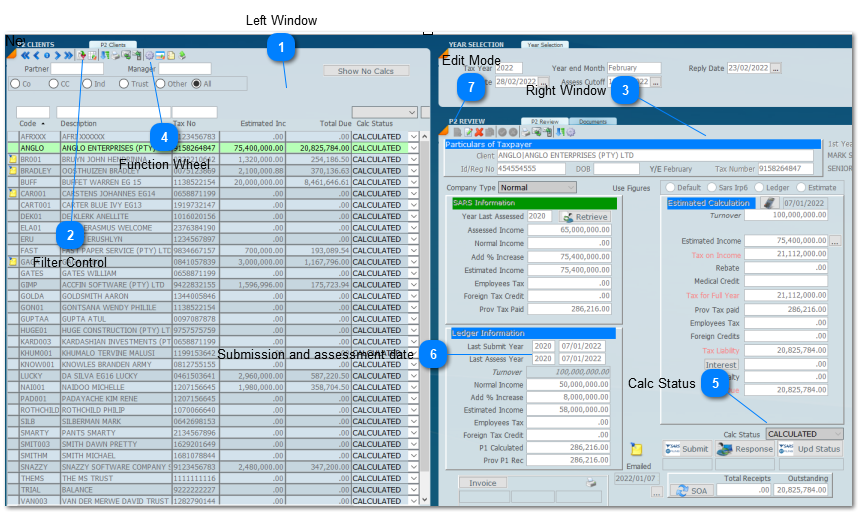

Left Window

This is where you list the clients that you want to work on.

Filter Control

Set your filters for what you want to see. Click on the drop down to see all the Filters.

Right Window
Reflects the calculation of the client selected on the left hand side.

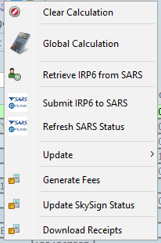
Function Wheel

This opens the menus for running the whole provisional tax process.

Calc Status
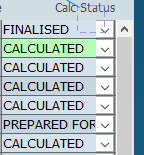
Calc Status allows the filtering of records. If you select Prepared for submission. It will list those records that you wish to file in bulk.

Submission and assessment date
The system will tell you the last transaction dates and Turnover from the last assessment.
Watch the video on the one screen approach Click Here
Was this article helpful?
That’s Great!
Thank you for your feedback
Sorry! We couldn't be helpful
Thank you for your feedback
Feedback sent
We appreciate your effort and will try to fix the article