One of the most important aspects of importing a trial balance is the ability to pick up an excel spread sheet and bring the TB figures in. The screen below indicates the screen which will allow the import of the TB.
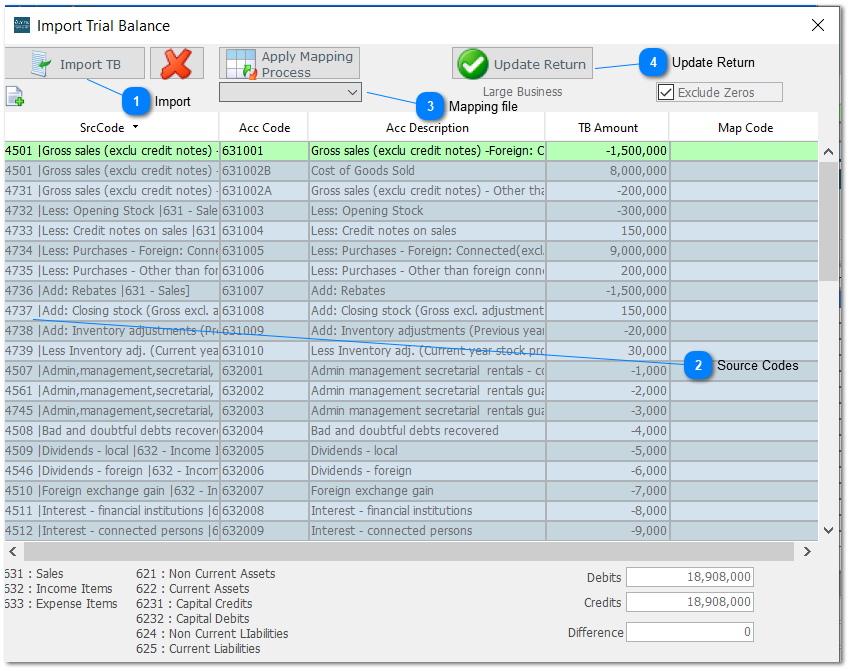


Where the TB has been retrieved without source codes and you have mapped the accounts code to a file in a previous year select the name below and click on Apply Mapping Process and the mapping contained in that file will insert the source codes. In this case the file is called MARK2022.

Was this article helpful?
That’s Great!
Thank you for your feedback
Sorry! We couldn't be helpful
Thank you for your feedback
Feedback sent
We appreciate your effort and will try to fix the article