When you click on the medical expenses button which is contained on the left hand side on the screen below, the medical rebate screen will appear. It is important to know that most of the information will download from SARS and some of the information you will have to enter.
When the ITR12 is retrieved the contributions will pre-populate as in the screen below.
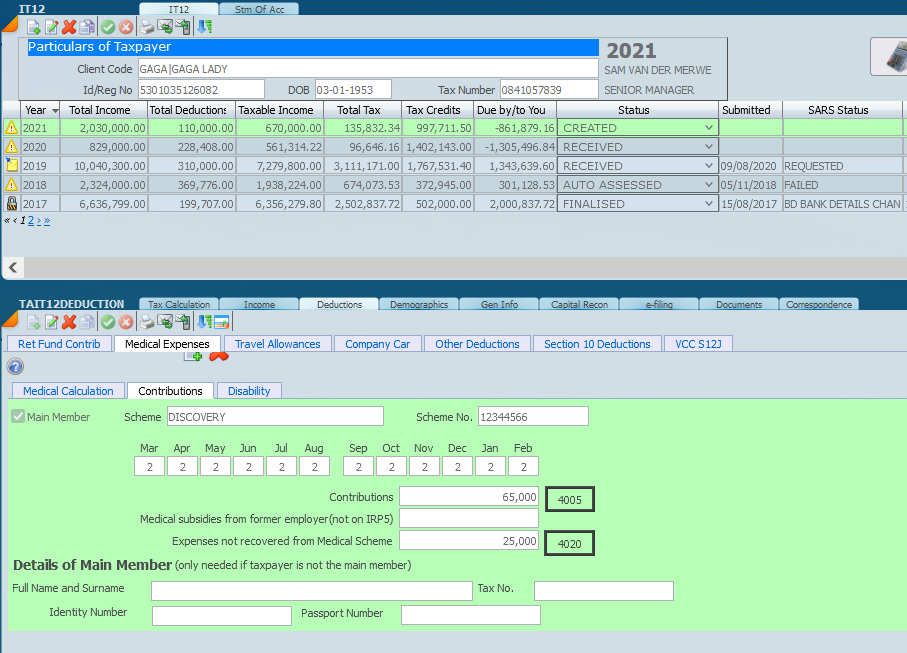
Don't forget to add the main member details if say the husband or wife are the main member and the taxpayer is not. Click on the green plus if there is more than one medical aid.
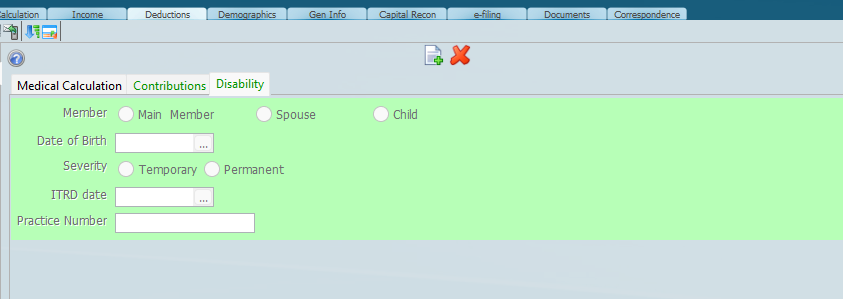
Where there is a disability the above screen must be completed. Out of pocket medical expenses must be entered in the right slot. You will need to differentiate between a disability and an impairment.
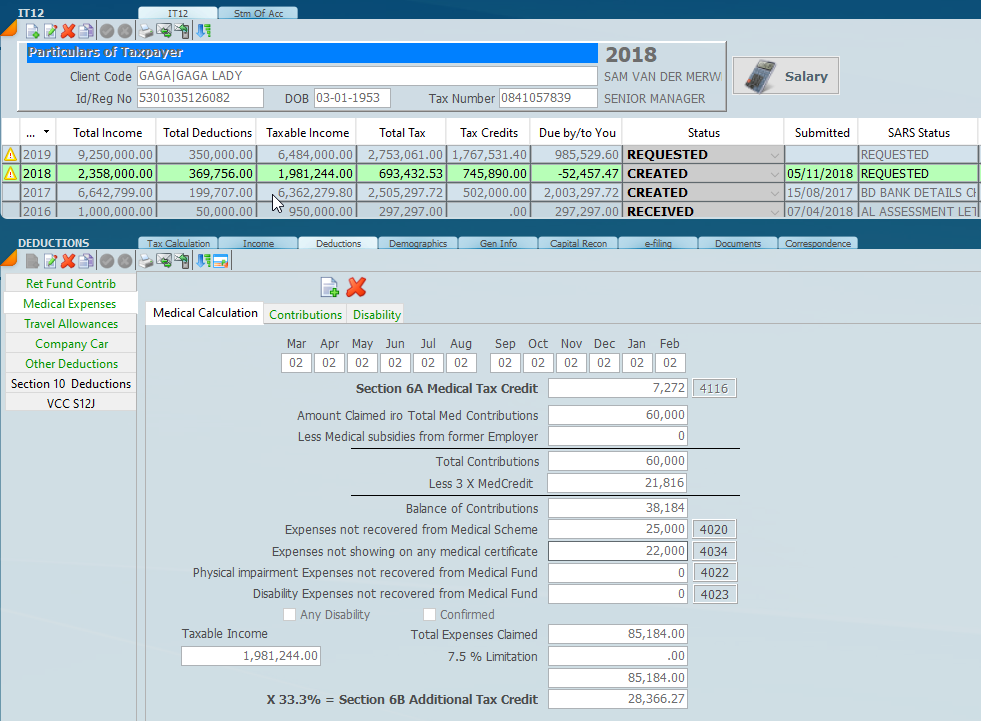
The medical deduction is in fact a rebate and you can see the calculation at the bottom of the screen, the amount which will be shown on the calculation screen.
Was this article helpful?
That’s Great!
Thank you for your feedback
Sorry! We couldn't be helpful
Thank you for your feedback
Feedback sent
We appreciate your effort and will try to fix the article