To appoint a director work in the director tab and select the new button  and the following screen will display with the drop down box.
and the following screen will display with the drop down box. Navigate to the director you want and by clicking on it the director it will be added to the grid with a green plus.
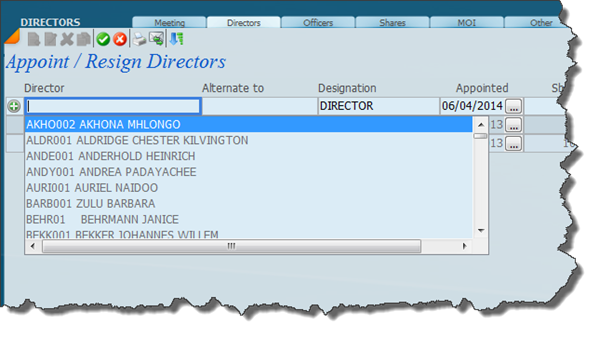
Once you have selected the director you want click on the green save tick and the screen will change to look like this below;
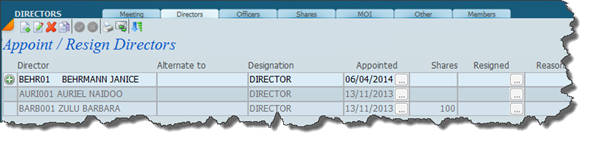
To edit an existing transaction click on the edit icon  and you will be able to change your selection or abort the addition.
and you will be able to change your selection or abort the addition.You can also make the director appointed an alternate to an existing director of the company by clicking on the Alternate to field and entering the Alternates code.
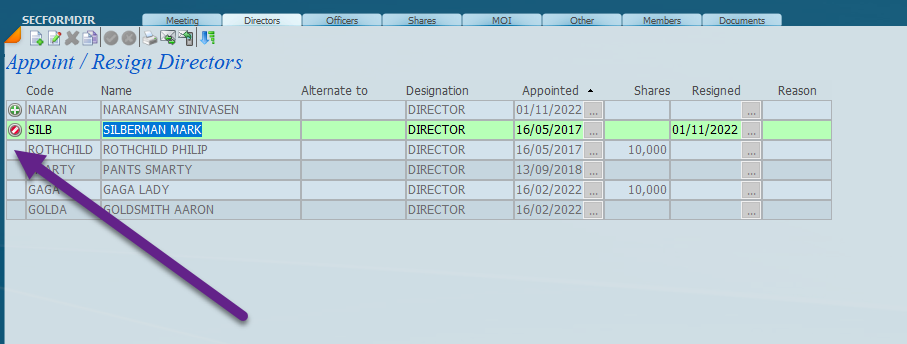
To resign a director in edit click on the area indicated below.
Was this article helpful?
That’s Great!
Thank you for your feedback
Sorry! We couldn't be helpful
Thank you for your feedback
Feedback sent
We appreciate your effort and will try to fix the article