The resign director works in a similar way to appoint. Click the Edit button and then the blank square next to the director (on the left) that you want to resign and the following will pop up.
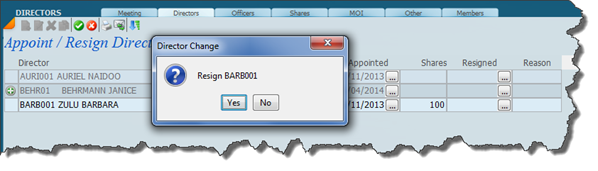
Click yes to resign and the screen will look like this.
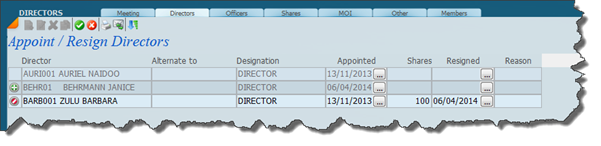
Click the green tick to save. Note the red mark to the left of the resigned director indicates that the director has resigned in this transaction.
Was this article helpful?
That’s Great!
Thank you for your feedback
Sorry! We couldn't be helpful
Thank you for your feedback
Feedback sent
We appreciate your effort and will try to fix the article